
How to watch porn on IPTV: what you need before you start
If you have never set up porn on IPTV before, the process is shorter than it looks. You do not need a dish, a decoder or a new television. You need a device that can run a player app, a home connection, and an account that includes an adult catalogue. Everything else needed for adult content on IPTV arrives by email.
Here is the full picture of how to watch porn on IPTV with Adulte8K. You choose a plan and pay by Revolut, Wise or crypto. Within 5 to 30 minutes, usually closer to five, you receive an email with your login details and a personal access code, the PIN. You install a player app on your device, enter the login, and the full channel list loads. The 18+ section stays hidden behind the PIN until you type it in.
- A device: Amazon Firestick or Fire TV, a Samsung, LG or Android TV, an Android box, an Android or iOS phone or tablet, or a Windows or Mac computer.
- A connection: about 15 Mbps for comfortable 4K. Full HD needs far less.
- A player app: IPTV Smarters, TiviMate or VLC all work.
- Your login and PIN: sent by email after payment.
The service is for adults aged 18 and over. The PIN exists so the adult content on IPTV stays out of sight of anyone else who uses the same screen.
What IPTV actually is, in plain terms
IPTV (internet protocol television) sends live channels and on-demand video over your internet connection instead of an aerial or a satellite. Your player app connects to a server, downloads the channel list and the TV guide (EPG), and streams whatever you pick.
That is why learning how to watch porn on IPTV is mostly about the app and the login. The channels themselves, adult content on IPTV included, sit on our side. Your job is to give the app the right address and credentials, and to know where the PIN goes. If you want to understand the two login formats in depth, our guide to the adult IPTV M3U link and Xtream codes explains both.
Porn on IPTV in six steps, from payment to first channel
These six steps for porn on IPTV are the same on every device. Only step four, the app install, changes depending on what you watch on.
- 01Choose a planEvery plan includes adult content on IPTV and the PIN lock. Standard gives you about 200 adult channels in Full HD. Prime gives you around 6,000 adult channels in 4K. Elite Server adds 8,000 VIP adult channels, up to four screens and a dedicated server. Compare them on the plans and prices page.
- 02Pay by Revolut, Wise or cryptoMessage us on WhatsApp with the plan you want and we send the payment details. Your bank statement shows a neutral label, not the name of an adult service.
- 03Receive your login and PINWithin 5 to 30 minutes an email arrives with your username, password, server address, an M3U link and your personal access code. Check your spam folder if it is not in your inbox.
- 04Install a player appInstall IPTV Smarters, TiviMate or VLC. The device rail below shows where to find the app on Firestick, Samsung and LG TVs, Android, iPhone and computers.
- 05Log in with Xtream codes or M3UIn the app, choose the Xtream codes option and type the username, password and server address, or paste the M3U link. The app loads the channel list and the EPG.
- 06Enter your PINOpen the adult category. The app asks for your access code. Type it and the adult content on IPTV opens. Lock it again when you leave and change the code whenever you like.
Which plan should you pick for adult content on IPTV?
All seven plans include the adult catalogue, the PIN lock and WhatsApp support, so porn on IPTV is covered whichever you choose. The difference is the number of adult channels, the picture quality and how many screens you can use.
- ~200 adult channels (18+)
- 40,000 live channels + full EPG
- 90,000 films & series on demand
- Full HD · anti-freeze servers
- ~6,000 adult channels in 4K (18+)
- 60,000 live channels + full EPG
- 200,000 films & series on demand
- 4K Ultra-HD · 3-day replay
- 8,000 VIP adult channels (18+)
- 80,000+ live channels + full EPG
- 250,000+ films & series on demand
- 4K / FHD · 7-day replay
- Dedicated server · up to 4 screens
Seven plans in total. Every one includes the adult catalogue, the on-demand library and your personal access code.
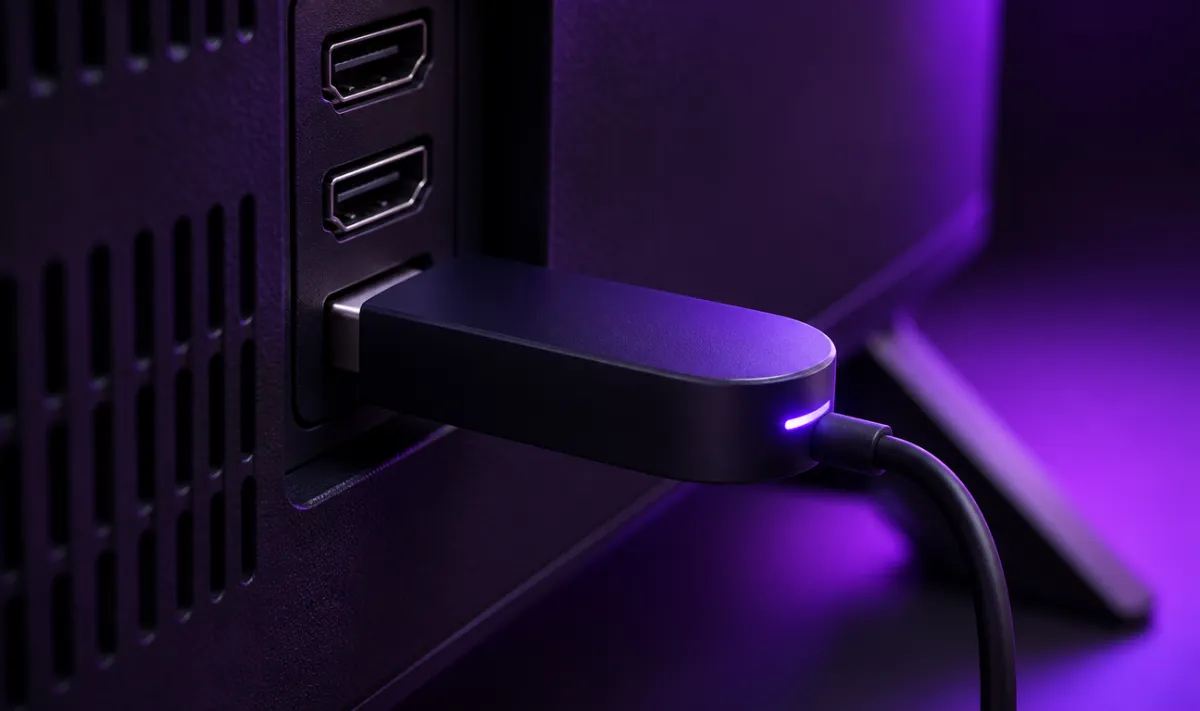
Install the app on your device
Pick the screen you want to use for porn on IPTV. The login and the PIN are the same everywhere; only the app install differs.
Xtream codes or M3U link: which login should you use?
Your email contains both formats, so you can use whichever your app prefers. Both give you the same channels, the same porn on IPTV and the same PIN.
Xtream codes (recommended)
Xtream codes are three fields: a username, a password and a server address (a URL that starts with http). IPTV Smarters and TiviMate both have an Xtream option on their first screen. This format loads live channels, films and series as separate sections and pulls the TV guide automatically, which makes it the easiest way to watch porn on IPTV for most people.
M3U link
The M3U link is one long web address that contains your username and password. Paste it into VLC, or into any app that asks for a playlist URL. If your app also asks for an EPG address, use the one in your email so the guide shows programme times.
One rule for both: keep them to yourself. Your login is tied to the number of screens on your plan, so sharing it can cause disconnections for you.
Unlocking adult content on IPTV with your PIN
Every Adulte8K account comes with a personal access code. Until you enter it, the adult content on IPTV stays locked, and on most apps their names and thumbnails stay hidden too. This is the step that makes porn on IPTV practical in a shared home: the rest of the household sees ordinary channels, films and sport.
- First use: open the adult category and type the code from your email.
- Change it: pick a code only you know. In IPTV Smarters it sits under Settings › Parental control; in TiviMate under Settings › Parental control as well.
- Forgot it: message us on WhatsApp and we reset it for you.
- Locking again: close the app or switch profile and the section locks again.
If you want to see what sits behind the lock before you buy, the adult channel list describes the categories on each plan.

Fixing the three most common problems with porn on IPTV
Most first-day questions to our support team about how to watch porn on IPTV come down to three things. Each one has a quick fix you can try before you write to us.
The adult section is hidden or missing
This is usually the PIN doing its job. In IPTV Smarters and TiviMate, locked categories are hidden from the list until you enter the code. Go to the parental control settings, type your PIN and the adult categories appear. If they still do not show, refresh the playlist (in Smarters: reload channels; in TiviMate: update playlist) so the app downloads the latest list.
Wrong PIN
Check that you are typing the code from the Adulte8K email, not the app’s own default code. Some apps ship with a default such as 0000 that you must change first. If neither works, send us a WhatsApp message and we reset your code for you.
Buffering or freezing
Our servers are load-balanced with anti-freeze, but home networks vary, and uninterrupted access cannot be guaranteed on any internet service. Try these in order:
- Run a speed test on the device. Under 15 Mbps, switch from 4K to the Full HD version of the channel.
- Use a cable instead of Wi-Fi, or move the router closer to the TV.
- Restart the device and the router, then clear the app cache.
- In the app settings, change the player from the default to the alternative player.
- Make sure nobody else is using your login on a second screen beyond your plan.
If it still stutters, send us the channel name and the time. Real people answer on WhatsApp, 7 days a week.
Quick reference: the best app for porn on IPTV on each device
| IPTV Smarters | TiviMate | VLC | |
|---|---|---|---|
| Firestick / Fire TV | Yes, via Downloader | Yes, via Downloader | Works, basic |
| Samsung / LG TV | Yes, in the TV store | Not available | Not available |
| Android TV / box | Yes | Yes, best with a remote | Yes |
| iPhone / iPad | Yes | Not available | Yes |
| Windows / Mac | Yes | Not available | Yes, with M3U |
| Built-in PIN lock | Yes | Yes | No, keep the link private |
Keeping porn on IPTV private at home
Discretion is part of any setup for adult content on IPTV, not an afterthought. A few habits keep things tidy:
- Billing: payments by Revolut, Wise or crypto show a neutral label on your statement.
- Email: use an address only you read for your login email.
- The app: use an app with a PIN lock on any shared TV. VLC has no parental lock, so keep it on a personal computer.
Still deciding between providers? Our checklist on the best IPTV for porn lists what to look for, and the full FAQ covers payments, screens and renewals.
Frequently asked questions about watching porn on IPTV
How long until I can watch porn on IPTV after paying?
Is adult content on IPTV included on every plan?
Which app is best for how to watch porn on IPTV on a Firestick?
Why can’t I see the adult channels after logging in?
Can I watch porn on IPTV on my TV and my phone with one login?
What internet speed do I need for 4K?
Is there a free trial?
Ready to set up porn on IPTV tonight?
Choose a plan, pay by Revolut, Wise or crypto, and your login and PIN arrive by email within 5 to 30 minutes. Stuck on a step of how to watch porn on IPTV? Message us and a real person will walk you through it. Adults 18+ only.

We set up and support IPTV for adult viewers across the UK and Europe. Every guide on this site comes from the questions our WhatsApp support answers every day: setup, the 18+ PIN, devices and plans.